
Machina Factory · Create
Available
Describe the idea. Build the product.
Turn a brief into a sports app or agent for a specific audience and workflow.
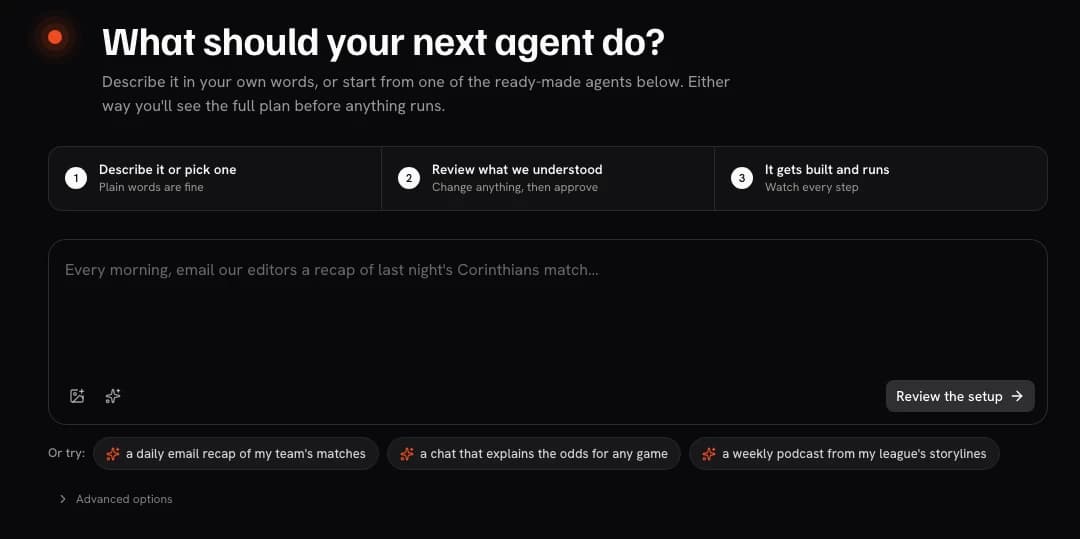
What it does
A clear job in your workflow.
Define the audience, inputs, output, and constraints. Factory turns that brief into a reviewable product preview using approved sources.
- 01
Start from a brief
Describe the audience, job, inputs, output, and constraints in plain language.
- 02
Shape the experience
Develop the app or agent preview around the channels and interactions that matter.
- 03
Ground it in your context
Bring in supported sources your organization is authorized to use.
- 04
Prepare the operating path
Carry the approved concept into Studio, evaluation, and model routing when the scope is ready.
How it works
From input to accountable output.
- 01
Brief
Define the audience, outcome, source boundaries, and review expectations.
- 02
Compose
Factory develops the experience and connects the required product pieces.
- 03
Preview
Explore the interface and refine the flow around your audience's needs.
- 04
Qualify
Agree the data rights, integration, evaluation, and operating path to launch.
Example build
A matchday briefing workspace for a production desk
A producer asks for the storylines that changed after team news, then reviews source-linked notes before using them on air.
Output
A reviewable briefing workspace for the production team.
Questions
What to know before you start.
How can I use Factory?
Sign in and start a free trial — 100K weighted tokens, 7 days, no card required. Your first build begins at /c.
What happens after the trial?
Refine the experience with your team, connect authorized sources, and map the integration, evaluation, and operating path to launch.
Machina Factory in the stack
How Factory connects to the wider platform.
Choose a flow, then select a component to see how the work moves.
Use the component buttons to explore the architecture.
Select a component
Create flow
From brief to working product.
Factory combines a brief with connected context, creates a working app or agent preview, and carries the result into Studio.
Selected component
Machina Factory
Turn a brief and context into an app or agent, then refine it in a working preview.
Explore Machina Factory →View connections
- Context → Factory: Brief and connected context
- Factory → Studio: Working app or agent
Our software